A small and ligthweigth tracker meant to track your cat's activity throghout the day. It has a screen where your cat's number of steps and jumps is displayed and a button to reset the values back to zero.
The idea for this wearable is that it can be a tool that would count the steps and jumps a cat does guring the day. The microcrontroller would be held by a case that would be attached to the collar. So it would follow the cat along and not bother them as they do their daily activities. There would be a small screen attached to the Arduino and the case where it would display the number of jumps and steps.
The inputs would be the number of steps and change of height due to the jumps.
The output would be a number appearing on the screen.
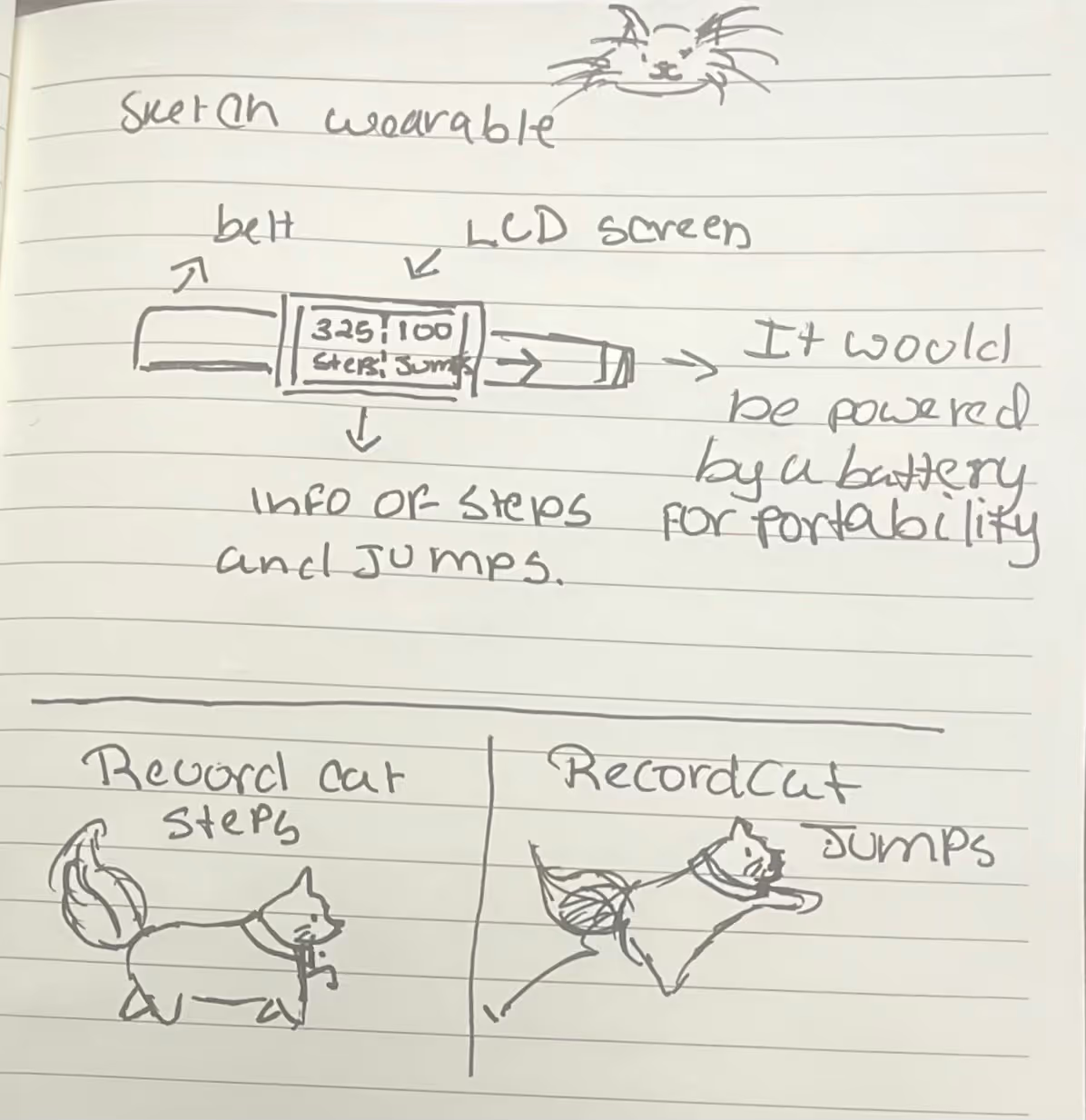
Sketch illustrating the idea for the digital collar.
After the idea conception, the next step was settign up the screen to be able to display the necessary information. With the help of Adafruit learning website and google, it was possible to make the screen display the required information. As well, using a sample pedometer code to if it works on the microcontroller.
After making sure that the display screen and pedometer work, then it was time to make some modifications so it is tailored to the desired output.
For the pedometer code, most of the sample code was kept the same, the siginificant changes were adding a jump variable to store the number of jumps, an if statement that when acceleration, in this case from the Z axis, is bigger than the threshold then the jump variable increase by one, and making some small changes to the code to display the information of the steps and jumps to the screen.
After many tries of not overloading the microcontroller of constantly drawing the numbers and being drawn above without the previous number being deleted. The Screen was able to costantly output the information without overwhelming the storage and the numbers beig drawn on top of each other.
Now the code detect every movement and every jumps with no issues. And as an additional feature a reset feature was added using the button A from the display screen as input.
Tracker showing the reset button working.
Button Input wprking.
Tracker showing the reset button working.
For the assembly, the microcontroller was sewn to a blue ribbon meant to be put on the cat's neck and tied with a knot, which is the best option for a prototype of the track.
The code started with the set up of all the componenets so the sensors and calaculations can work properly the input being steps, acceleration and the press for the reset button, and the output being the disolayed information on the screen and the values being reset with every click. Then the variables were set so the information can be stored. Then inside the loop the output will constantly being displayed.
Click here to access the complete code :3
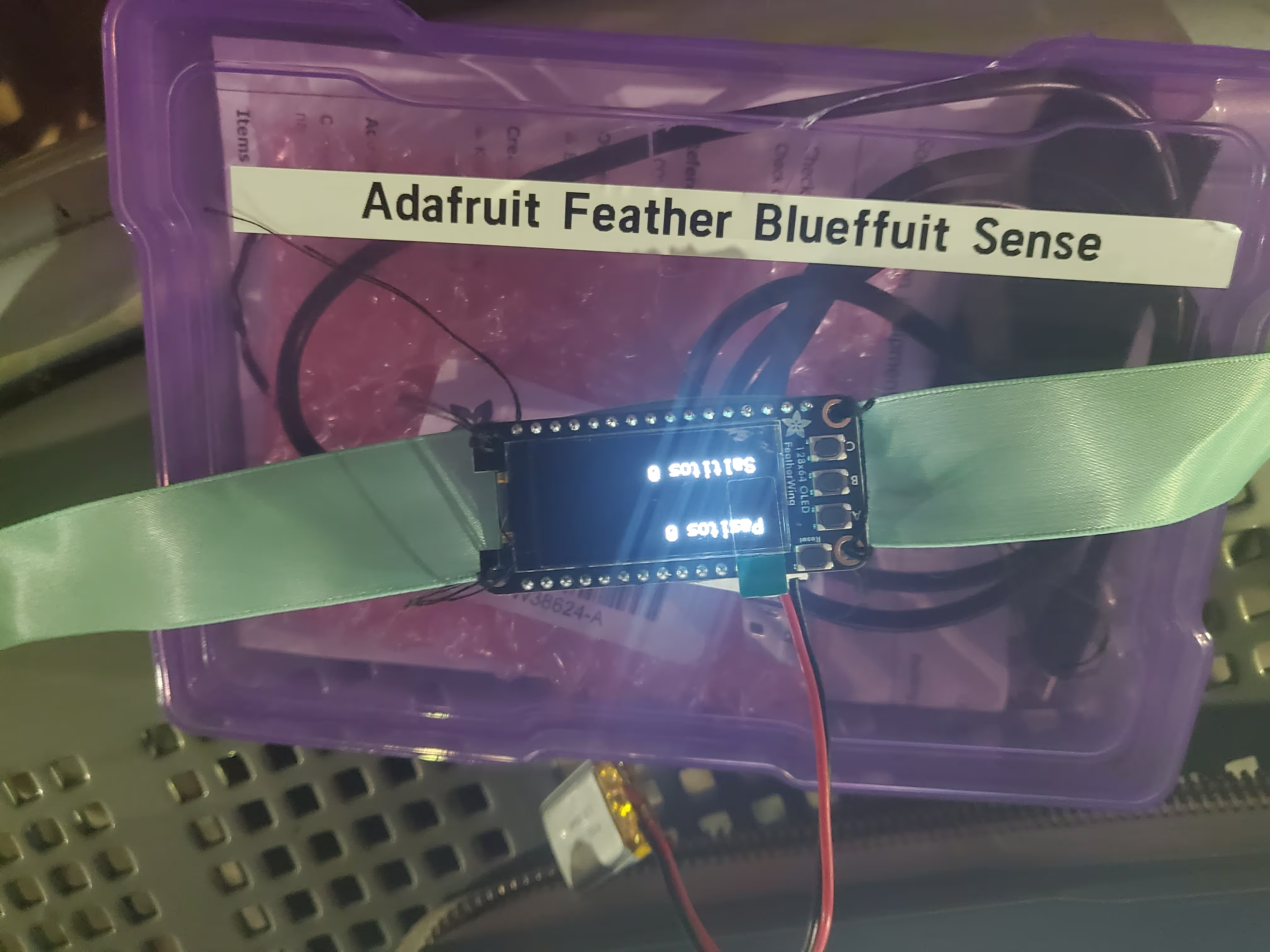
Sketch illustrating the idea for the digital collar.
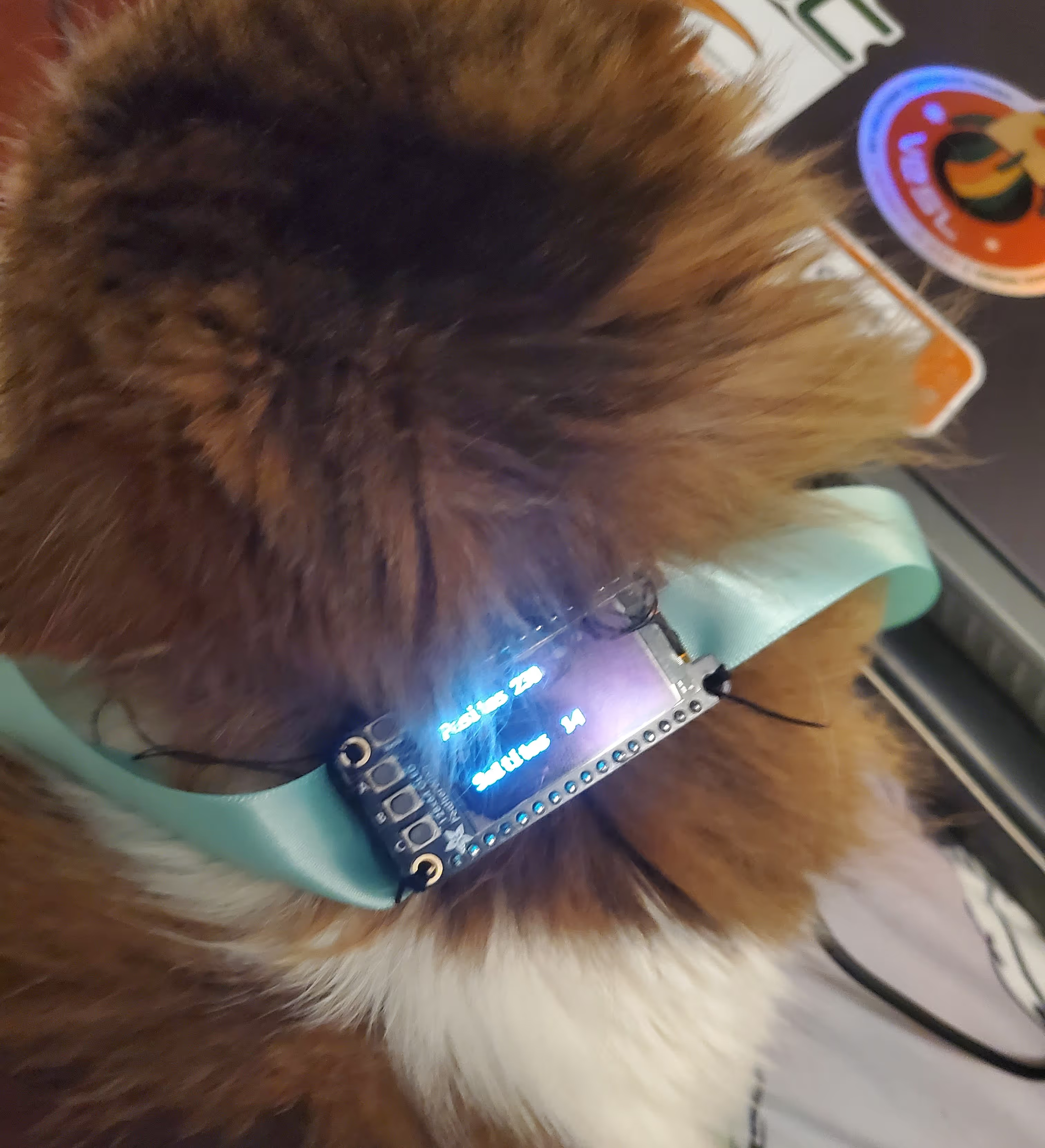
The collar being worn.
This project was helpful for learning how to set up the sensors to record different type of inputs and display them on a screen. As well, reaching out for help when needed and using the internet to fix challeging issues.
For future itereation a case would be designed to hold the microcontroller and battery, removing the screen and using infrared signals so the information can be displayed on the user's device so the track can be more confortable for the cat. Adding options to toggle the information being displayed rather than steps and jumps being shown at the same time, and sewing the microcontroller to a real collar so it stays in place and is more comfortable to the cat.
